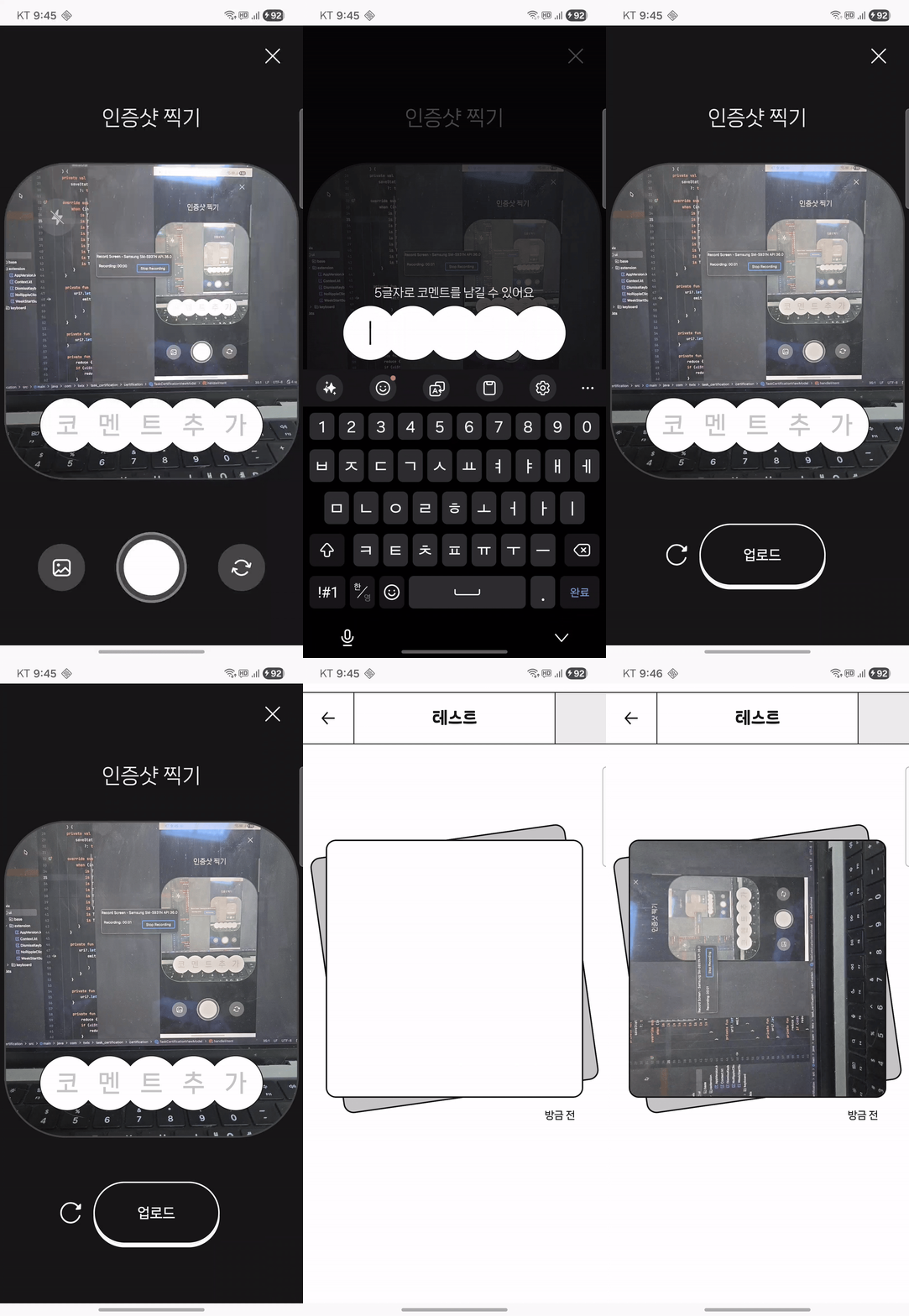
현재 개발 중인 앱에서 사진을 촬영하고 서버에 업로드하는 과정에서 사진이 회전되는 문제가 발생했다. 함께 개발 중인 페어께서 이 문제를 발견하셨고 "회전 메타 데이터 활용해서 사진 안 돌아가게 수정해 주세요"라는 요구 사항을 전달받았다. 이와 관련된 내용을 조사하던 중 Exif 태그라는 것의 존재를 알게 되었고 이를 활용해 문제를 해결한 방법을 소개하고자 한다.
기존 코드
촬영된 이미지를 서버에 업로드하기 위해 Uri 형태의 이미지를 ByteArray로 변환하는 방식을 사용했다. UI Layer에서 사용의 편의를 위해 Context의 확장함수로 선언했으며 이 함수는 Android 시스템이 제공하는 Uri를 실제 이미지 데이터로 읽어 들인 뒤 ByteArray로 압축 변환하여 반환한다. 동작 과정은 다음과 같다.
fun Context.uriToByteArray(imageUri: Uri): ByteArray?Uri는 단순한 경로 정보이기 때문에 바로 이미지 데이터에 접근할 수 없다. ContentResolver를 사용해 InputStream을 열어 실제 파일 데이터를 읽는다.
contentResolver.openInputStream(imageUri)
InputStream으로 읽어온 이미지를 Bitmap 객체로 변환한다. 즉, 파일 형태의 이미지를 Bitmap(메모리 상의 이미지 객체) 로 변환하는 과정이다. 이 단계에서 이미지 픽셀 데이터가 메모리에 로드된다.
val bitmap = BitmapFactory.decodeStream(inputStream)
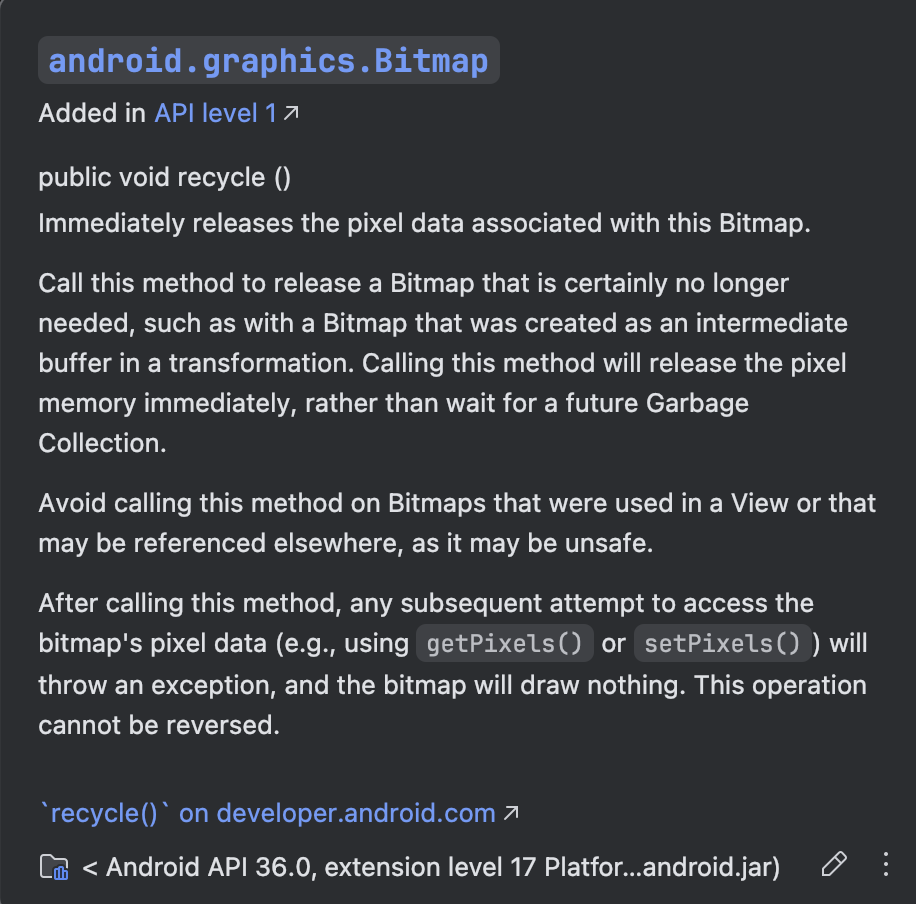
Bitmap을 JPEG 형식으로 압축 품질 90%로 설정하고 최종적으로 서버 전송이 가능한 ByteArray 형태로 변환한다. bitmap.recycle()은 Bitmap이 사용 중인 픽셀 메모리를 즉시 해제하여 메모리 사용량을 줄이는 메서드이다. 호출 이후에는 Bitmap을 다시 사용할 수 없으며 접근 시 예외가 발생한다.
ByteArrayOutputStream().use { outputStream ->
    bitmap.compress(Bitmap.CompressFormat.JPEG, 90, outputStream)
    bitmap.recycle()
    outputStream.toByteArray()
}
전체 코드는 다음과 같다.
fun Context.uriToByteArray(imageUri: Uri): ByteArray? {
    return try {
        contentResolver.openInputStream(imageUri)?.use { inputStream ->
            val bitmap = BitmapFactory.decodeStream(inputStream) ?: return null

            ByteArrayOutputStream().use { outputStream ->
                bitmap.compress(Bitmap.CompressFormat.JPEG, 90, outputStream)
                bitmap.recycle()
                outputStream.toByteArray()
            }
        }
    } catch (e: Exception) {
        e.printStackTrace()
        null
    }
}
Exif란?
Exif는 Exchangeable Image File Format의 줄임말로 사진 파일 안에 함께 저장되는 메타데이터(metadata) 이다.
이 메타데이터에는 카메라로 촬영한 사진의 촬영 날짜나 시간, 카메라 기종 및 설정 값, GPS 위치 정보, 그리고 회전 정보(Orientation)등 다양한 정보를 가진다.
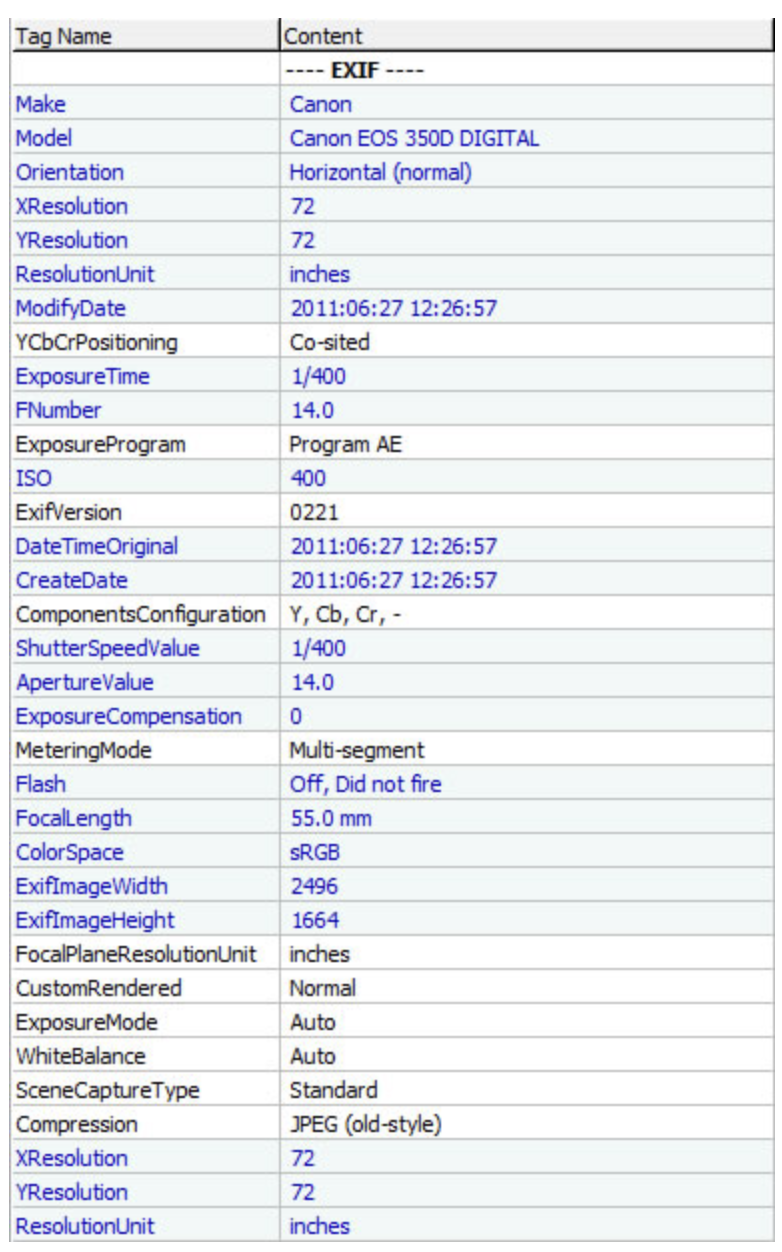
이 중 특히 이번 문제와 관련된 것은 Orientation 태그다. 스마트폰으로 세로 방향 사진을 찍으면 카메라 센서가 실제로는 가로 기준으로 저장된다는 점 때문에 Exif에 회전 정보만 기록하고 실제 이미지는 회전하지 않는다는 점이 문제의 원인이었다.
Android에서 Exif 사용하기
안드로이드에선 ExifInterface를 사용해 Exif 정보를 읽고 쓸 수 있으며 JPEG, PNG, HEIF, DNG 등 주요 이미지 형식의 Exif 데이터 읽기를 지원한다.
Exifinterface | Jetpack | Android Developers
컬렉션을 사용해 정리하기 내 환경설정을 기준으로 콘텐츠를 저장하고 분류하세요. Exifinterface 이미지 파일 EXIF(데이터) 태그를 읽고 씁니다. 최근 업데이트 안정화 버전 출시 후보 버전 베타 버
developer.android.com
ExifInterface를 사용하기 위해선 모듈 수준의 build.gradle.kts에 의존성을 추가해야 한다.
[versions]
exifinterface = "1.4.2"

[libraries]
androidx-exifinterface = { group = "androidx.exifinterface", name = "exifinterface", version.ref = "exifinterface" }

Orientation 값 읽기
이전과 동일하게 ContentResolver를 사용해 InputStream을 열어 실제 파일 데이터를 읽고, 이 데이터를 ExifInterface 객체에 전달해 다양한 속성을 가져올 수 있다.
사진의 회전 정보는 ExifInterface의 TAG_ORIENTATION을 통해 가져올 수 있다.
fun orientation(imageUri: Uri): Int =
	contentResolver.openInputStream(imageUri)?.use { exifStream ->
		ExifInterface(exifStream).getAttributeInt(
		ExifInterface.TAG_ORIENTATION,
		ExifInterface.ORIENTATION_NORMAL,
	)
} ?: ExifInterface.ORIENTATION_NORMAL
여기서 얻을 수 있는 Orientation 값은 다음과 같다.
| ORIENTATION_NORMAL | 회전 없음 |
| ORIENTATION_ROTATE_90 | 90도 회전 |
| ORIENTATION_ROTATE_180 | 180도 회전 |
| ORIENTATION_ROTATE_270 | 270도 회전 |
이미지 회전
Exif를 통해 이미지의 Orientation 값을 확인했다면 해당 값만큼 실제 이미지를 회전시켜 주어야 한다. Exif는 단순히 “이 이미지는 90도 회전된 상태다”라는 메타 정보만 제공할 뿐, 실제 픽셀 데이터 자체를 회전시키지는 않기 때문이다. 따라서 업로드 전에 Bitmap을 직접 회전하여 픽셀 자체를 올바른 방향으로 보정하는 과정이 필요하다.
val rotatedBitmap =
    when (orientation) {
        ExifInterface.ORIENTATION_ROTATE_90 -> rotate(bitmap, 90f)
        ExifInterface.ORIENTATION_ROTATE_180 -> rotate(bitmap, 180f)
        ExifInterface.ORIENTATION_ROTATE_270 -> rotate(bitmap, 270f)
        else -> bitmap
    }
이미지를 회전시킬 때는 Matrix라는 객체를 사용하는데, Matrix는 안드로이드 그래픽 시스템에서 제공하는 2차원 좌표 변환을 담당하는 클래스다. Matrix는 이동, 회전, 확대/축소, 뒤집기, 기울이기와 같은 같은 변환을 지원한다
회전은 다음과 같이 Matrix.postRotate()를 통해 각도를 적용한 뒤, Bitmap.createBitmap()으로 변환된 Bitmap을 새로 생성하는 방식으로 처리한다.
fun rotate(image: Bitmap, degree: Float): Bitmap {
    val matrix = Matrix().apply { postRotate(degree) }
    return Bitmap.createBitmap(image, 0, 0, image.width, image.height, matrix, true)
}
전체 코드는 다음과 같다. 이미지를 변환에 대한 전반적인 책임을 가진 객체와 ExifInterface를 사용해 실제 이미지를 회전하는 객체를 분리하여 객체의 역할과 책임을 분리하는데 중점을 두었다.
class ImageGenerator(
    private val contentResolver: ContentResolver,
    private val rotator: Rotator,
) {
    /**
     * 주어진 [Uri]로부터 이미지를 읽어 JPEG 형식의 [ByteArray]로 변환한다.
     *
     * 내부 동작 과정:
     * 1. [android.content.ContentResolver.openInputStream]으로 InputStream을 연다.
     * 2. [android.graphics.BitmapFactory.decodeStream]으로 Bitmap 디코딩
     * 3. JPEG(품질 90) 압축 후 ByteArray 반환
     *
     * 실패 케이스:
     * - InputStream 열기 실패
     * - 디코딩 실패 (손상 이미지 등)
     * - 압축 실패
     *
     * @param imageUri 변환할 이미지 Uri (content:// 또는 file://)
     * @return 변환 성공 시 JPEG 바이트 배열, 실패 시 null
     */
    fun uriToByteArray(imageUri: Uri): ByteArray? =
        try {
            val orientation: Int = rotator.orientation(imageUri)
            val bitmap: Bitmap = bitmap(contentResolver, imageUri)
            val rotatedBitmap =
                when (orientation) {
                    ExifInterface.ORIENTATION_ROTATE_90 -> rotator.rotate(bitmap, 90f)
                    ExifInterface.ORIENTATION_ROTATE_180 -> rotator.rotate(bitmap, 180f)
                    ExifInterface.ORIENTATION_ROTATE_270 -> rotator.rotate(bitmap, 270f)
                    else -> bitmap
                }
            if (rotatedBitmap !== bitmap) bitmap.recycle()
            byteArray(rotatedBitmap)
        } catch (e: Exception) {
            e.printStackTrace()
            null
        }

    /**
     * [Uri] 로부터 실제 [Bitmap] 을 디코딩한다.
     *
     * 새로운 InputStream을 열어 [BitmapFactory.decodeStream] 으로 변환한다.
     */
    private fun bitmap(
        contentResolver: ContentResolver,
        imageUri: Uri,
    ): Bitmap =
        contentResolver.openInputStream(imageUri)?.use { inputStream ->
            BitmapFactory.decodeStream(inputStream)
        } ?: throw IllegalArgumentException(IMAGE_DECODE_ERROR_MESSAGE.format(imageUri))

    /**
     * [Bitmap] 을 JPEG 형식(품질 90)으로 압축하여 [ByteArray] 로 변환한다.
     *
     * 압축 완료 후 메모리 절약을 위해 내부에서 [Bitmap.recycle] 을 호출한다.
     * 따라서 호출 이후 전달한 Bitmap은 재사용하면 안 된다.
     *
     * @param bitmap 압축 대상 Bitmap
     * @return JPEG 바이트 배열
     */
    private fun byteArray(bitmap: Bitmap): ByteArray =
        ByteArrayOutputStream().use { outputStream ->
            bitmap.compress(Bitmap.CompressFormat.JPEG, 90, outputStream)
            bitmap.recycle()
            outputStream.toByteArray()
        }

    companion object {
        private const val IMAGE_DECODE_ERROR_MESSAGE = "Failed to open or decode image: %s"
    }
}

class Rotator(
    private val contentResolver: ContentResolver,
) {
    /**
     * 이미지의 EXIF 메타데이터에서 Orientation 값을 읽는다.
     *
     * - NORMAL → 회전 없음
     * - ROTATE_90 / 180 / 270 → 해당 각도만큼 시계 방향 회전 필요
     *
     * 내부적으로 새로운 InputStream을 열어 [ExifInterface] 로 분석한다.
     *
     * @param imageUri 대상 이미지 Uri
     * @return EXIF orientation 값 (기본값: ORIENTATION_NORMAL)
     */
    fun orientation(imageUri: Uri): Int =
        contentResolver.openInputStream(imageUri)?.use { exifStream ->
            ExifInterface(exifStream).getAttributeInt(
                ExifInterface.TAG_ORIENTATION,
                ExifInterface.ORIENTATION_NORMAL,
            )
        } ?: ExifInterface.ORIENTATION_NORMAL

    /**
     * 주어진 [Bitmap] 을 지정한 각도만큼 회전한 새로운 Bitmap을 생성한다.
     *
     * 원본 Bitmap은 수정되지 않고,
     * 새로운 Bitmap 인스턴스가 반환된다.
     *
     * @param image 회전 대상 Bitmap
     * @param degree 시계 방향 회전 각도
     * @return 회전된 새 Bitmap
     */
    fun rotate(
        image: Bitmap,
        degree: Float,
    ): Bitmap {
        val matrix = Matrix().apply { postRotate(degree) }
        return Bitmap.createBitmap(image, 0, 0, image.width, image.height, matrix, true)
    }
}
결과
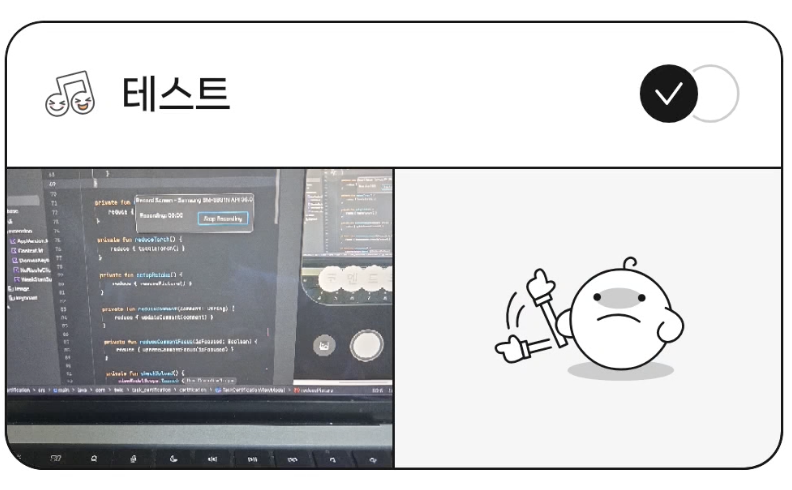
적용 결과 이미지가 촬영한 상태로 잘 돌아가 있는것을 볼 수 있다.
'Android' 카테고리의 다른 글
| ART(Android Runtime)와 Baseline Profile 기초 (2) | 2026.03.16 |
|---|---|
| Android Bitmap과 메모리 최적화 (0) | 2026.02.22 |
| Compose 디자인 시스템 설계하기 (0) | 2026.01.22 |
| HiltViewModel 의존성 주입 원리 (0) | 2025.11.06 |
| 아주 쉽게 알아보는 뷰가 그려지기까지의 여정 (0) | 2025.10.29 |